 Vibrate Phone
How to Choose a Discreet Personal Wellness App
Learn how to choose a discreet personal wellness app by checking notifications, privacy practices, permissions, account requirements, and billing details.
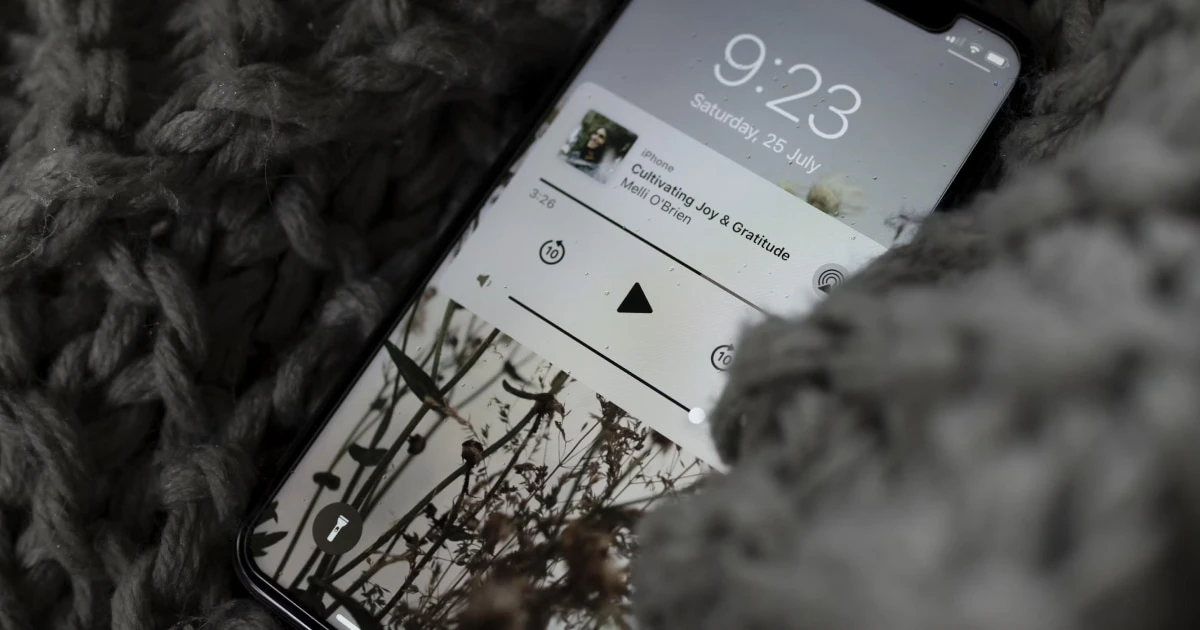
A discreet personal wellness app should let you use its features without unnecessary exposure of your activity or personal information. Whether you want a relaxation tool, a personal massage app, or an iPhone vibration app, check its notifications, data collection, permissions, account requirements, and billing before installing it.
A subtle app icon is only one part of discretion. The app’s actual behavior and the privacy controls available to you matter just as much.
1. Look beyond the app icon
An app’s name and icon affect how it appears on your Home Screen, but they do not tell you how it handles your information.
When evaluating a personal wellness app, consider whether:
- Its interface is unobtrusive and easy to understand.
- Its name and notifications might attract unwanted attention.
- You can use its main features without creating a public profile.
- It requires an account or personal information.
- Its privacy policy clearly explains its data practices.
Do not assume that a generic app name guarantees privacy. An app can look discreet while collecting usage information or sharing data with third parties.
2. Review notification settings
Notifications can reveal information when your iPhone is on a desk, shared with someone else, or visible on a locked screen.
Check whether the app sends session reminders, activity summaries, promotional messages, or subscription alerts. If these notifications are unnecessary, see whether you can disable them or control how they appear.
On iPhone, open Settings → Notifications, select the app, and review the available options. Depending on your iOS version, you may be able to change notification delivery, sounds, banners, and previews.
You can also adjust lock-screen notification previews. Keep in mind that disabling notifications may hide useful purchase or account alerts as well.
3. Read the privacy policy and App Store disclosures
Privacy is particularly relevant when an app relates to personal habits or intimate wellness.
Before downloading an app, review its privacy policy and its App Store privacy information. Apple’s App Privacy Details explain how developers disclose the types of data their apps collect and how that information is used.
Look for answers to these questions:
- Does the app collect data linked to your identity?
- Does it collect usage, diagnostic, or device information?
- Does it share data with third parties?
- Does it use tracking for advertising or analytics?
- Does its policy explain data retention and deletion?
- Is there a clear way to contact the developer about privacy?
App Store disclosures are a useful starting point, but they do not replace the privacy policy. Review both, particularly if the app handles information you consider sensitive.
4. Check requested permissions
An app should request access to device features that make sense for its functionality.
For example, an app that uses audio may need audio-related capabilities. An app designed to control phone vibration should not need access to your contacts or location unless a specific feature justifies that access.
Before granting permission, ask yourself:
- Is the permission necessary for a feature I want?
- Does the app explain why it needs access?
- Can I deny permission and still use its main features?
- Can I revoke access later?
On iPhone, review available controls under Settings → Privacy & Security. Some permissions can also be managed through the app’s individual settings.
Apple provides additional guidance in its guide to controlling app access to information on iPhone.
5. Understand account requirements
Some apps require an account to synchronize information or manage features across devices. Others let you start using their main functionality without registering.
If privacy is a priority, check whether the app asks for your full name, email address, phone number, or profile information that is not necessary for its purpose.
An account is not automatically a privacy risk, but registration creates additional information and credentials to manage. If you sign up, use a strong, unique password when applicable and check how account deletion works.
Deleting an app from your iPhone does not necessarily delete the account or personal data associated with it.
6. Check pricing and billing
Discretion also means understanding what a purchase involves and where payment records appear.
Before starting a trial or buying an app, confirm:
- Whether it is free, paid, or subscription-based.
- Whether a free trial automatically converts to a paid subscription.
- How often payments recur.
- How to manage or cancel a subscription.
- What purchase information remains in your account records.
App Store transactions may remain visible in your Apple Account’s purchase history even after you remove an app from your Home Screen or delete it. Hiding an app from view is not the same as hiding a purchase record.
Choose a payment model you understand. If the terms are unclear, review them before committing.
7. Choose an app that fits your personal routine
A discreet personal wellness app should be straightforward to use, with clear controls and few unnecessary interruptions.
Depending on your needs, you may prefer an app that:
- Lets you start and stop an activity easily.
- Offers clear controls without unnecessary steps.
- Avoids pressuring you to maintain streaks or share activity.
- Explains its features and limitations honestly.
- Gives you control over notifications and other settings.
If you are looking for phone-based vibration, check the controls and patterns an app actually offers. Results depend on the iPhone’s hardware and the app’s implementation, and phone vibration is not equivalent to a dedicated personal massager.
Vibrate Phone is an option to explore if you want an iPhone app for phone-based vibration. Before installing it, review its current App Store listing to check its features, compatibility, privacy information, and pricing.
For more options and selection criteria, see our guide to the best vibrator apps for iPhone.
8. Use this checklist before installing
You do not need to investigate every technical detail. Start with these essential checks:
- The app’s purpose and features are clearly explained.
- Its privacy policy is accessible.
- Its App Store privacy information is available.
- Requested permissions make sense for its functionality.
- Notifications can be adjusted to your preferences.
- Account requirements are clear.
- Pricing, trials, and subscription terms are transparent.
- You know how to contact the developer if needed.
If important details are missing or difficult to understand, compare the app with another option before committing.
Choose discretion without compromising privacy
Choosing a discreet personal wellness app means looking beyond its icon and interface. Check its data practices, permissions, notifications, account requirements, and payment terms before installing it.
If you are interested in phone-based vibration, visit Vibrate Phone on the App Store to review the current features, privacy information, pricing, and compatibility. Compare those details with your own needs before deciding whether the app is right for you.
Frequently asked questions
- What makes a personal wellness app discreet?
- Discretion can involve an unobtrusive interface, controllable notifications, limited permission requests, transparent data practices, and billing details that are easy to understand.
- Can an app look discreet without protecting your privacy?
- Yes. An app may have an unobtrusive icon and interface while still collecting usage data or sharing information. Review its privacy policy and App Store privacy details rather than relying on its appearance.
Get Vibrate Phone on the App Store
Experience deep relaxation in the palm of your hand.
Transform your iPhone into a powerful personal massager and vibrator. Discover custom vibration patterns, soothe muscle tension, and enjoy private intimate pleasure whenever you want. Free to download on the App Store.

Keep reading
Best Vibrator Apps for iPhone: What to Look For
Compare iPhone vibrator apps by vibration controls, privacy, usability, and price. Learn what to look for and whether Vibrate Phone suits your needs.

Personal Wellness Without the Pressure
Explore personal wellness at your own pace with simple ideas for relaxation, personal pleasure, and routines that fit your needs.
Can You Use Your Phone as a Personal Massager?
Learn how to use an iPhone as a personal massager, what to expect from a vibrator app, how it compares with a dedicated device, and how to prioritize comfort and safety.