 Vibrate Phone
How iPhone Vibration Works: Haptics Explained
Learn how iPhone vibration works, what the Taptic Engine does, and how hardware, software, and vibration patterns affect haptic feedback.
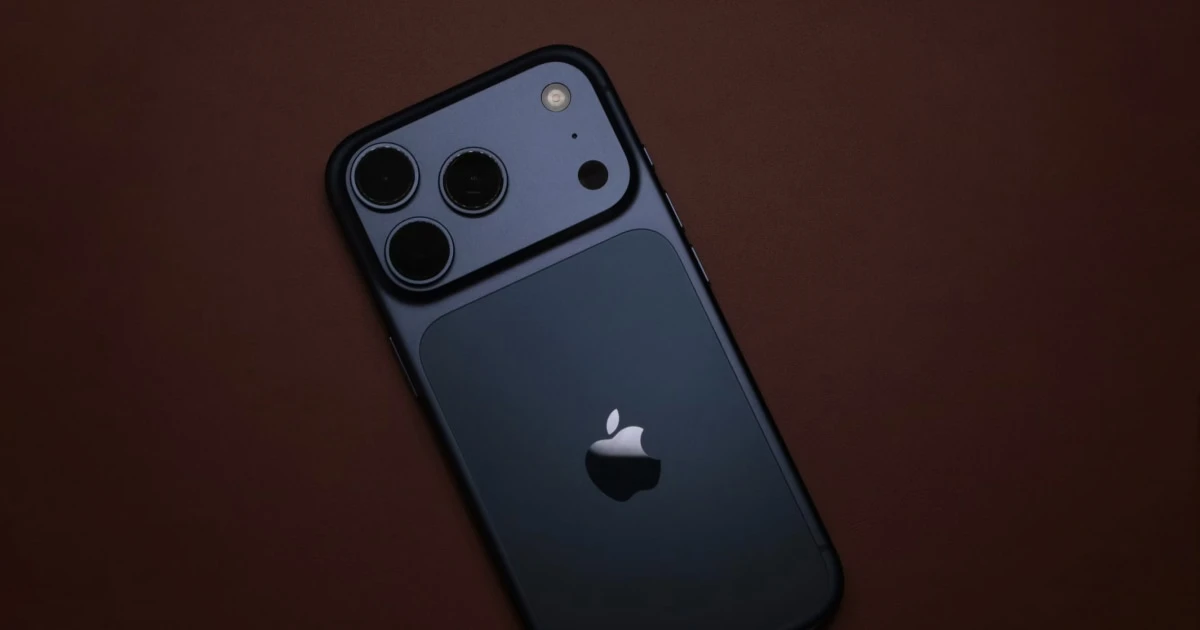
When your iPhone vibrates for a notification or an interaction inside an app, it uses haptic feedback: a physical sensation that complements what you see or hear on the screen.
iPhone haptics can produce short taps, pulses, and other tactile effects. The sensations depend on the device’s hardware, the software generating the feedback, and the pattern being played.
Understanding how iPhone vibration works helps explain what apps can control, why sensations vary between devices, and what the technology can realistically do.
What is haptic feedback?
Haptic feedback is physical feedback delivered through touch. On an iPhone, it commonly takes the form of a vibration or tap associated with an alert or interaction.
You may experience haptic feedback when:
- Your phone receives certain notifications.
- You interact with supported system controls.
- An app provides tactile confirmation of an action.
- A compatible app plays a custom haptic effect.
The purpose is to communicate information through touch. A brief tap, for example, can confirm an action without requiring an additional sound or visual message.
Apple’s Human Interface Guidelines for playing haptics explain how tactile feedback can reinforce interactions and communicate what is happening on screen.
What is the Taptic Engine?
Many recent iPhone models use Apple’s Taptic Engine, a haptic component designed to produce controlled physical sensations.
Rather than simply making the phone buzz continuously, the hardware can produce distinct tactile effects for different interactions. The exact sensations depend on the device and the effect being played.
The Taptic Engine supports more than incoming calls. It can provide feedback during supported system interactions and app experiences.
Not every iPhone has identical hardware or capabilities. Apple can change components and supported behaviors between models, so a particular effect may not feel identical across devices.
How do iPhone apps create vibration?
iPhone apps use supported iOS APIs to request haptic feedback. The available controls depend on the API, operating system version, and device hardware.
One relevant technology is Core Haptics, Apple’s framework for creating and playing customized haptic patterns on supported devices.
Depending on the implementation, developers may be able to control aspects of a haptic experience such as:
- Timing: When an event starts and how long it lasts.
- Intensity: The relative strength of a supported haptic event.
- Sharpness: A parameter that influences the character of a supported sensation.
- Pattern: The sequence, duration, and spacing of individual events.
These controls do not let an app produce any imaginable physical sensation. The hardware and software APIs impose limits on the effects that can be generated.
An intensity setting inside an app also does not guarantee the same perceived strength across all iPhone models. The parameter describes the requested effect, not a standardized physical measurement of vibration strength.
Why do vibration patterns feel different?
Two patterns can feel noticeably different even when they come from the same iPhone. Several factors contribute to the sensation.
Duration
A short tap feels different from a longer vibration. Duration helps distinguish a single event from a sustained sensation.
Rhythm
Evenly spaced pulses create a different impression from irregular or closely grouped pulses. The pauses between events are an important part of the overall pattern.
Intensity and character
Where supported, haptic parameters can change how pronounced or sharp an effect feels. The result remains constrained by the device’s hardware and implementation.
Device and surroundings
Your iPhone model, how firmly you hold it, the surface it rests on, and the way it contacts your body can affect your perception of vibration.
Individual sensitivity also varies. A pattern that feels noticeable to one person may feel subtle to another.
Can you change vibration settings on an iPhone?
Yes. iOS provides settings for managing system sounds and vibrations, although the available options depend on your iOS version and device.
Depending on your configuration, you can adjust settings related to:
- Ringtone and alert sounds.
- Haptic feedback for supported system interactions.
- Vibration behavior for calls and alerts.
- Accessibility features that affect touch or vibration behavior.
To explore the available controls, open Settings → Sounds & Haptics. You can also consult Apple’s guide to changing iPhone sounds and vibrations.
System settings and app-generated haptics are not necessarily controlled by the same options. Disabling one type of feedback may not disable every haptic effect in every app.
Can a vibration app use these capabilities?
Compatible apps can use supported iOS functionality to create haptic experiences. What an app can produce depends on its implementation and the capabilities available on your device.
Some apps use brief taps to confirm buttons and actions. Others let users explore different sequences or vibration patterns for a specific purpose.
If you are interested in phone-based vibration for personal massage or relaxation, it helps to distinguish haptic feedback from a dedicated massage device. An iPhone’s haptic hardware was designed primarily for device interactions, not to reproduce the mechanical output of a purpose-built personal massager.
Vibrate Phone is an option to explore if you want an iPhone app for phone-based vibration. Review its App Store listing to check its current features, compatibility, and pricing before installing it.
For a practical comparison of phone vibration and dedicated devices, read Can You Use Your Phone as a Personal Massager?.
What iPhone vibration cannot guarantee
Haptic technology has practical limits.
An app cannot guarantee an identical physical sensation for every user or device. The result depends on the hardware, software, how the phone is held, and individual sensitivity.
Vibration alone is also not evidence of a medical or therapeutic benefit. Claims that a vibration app can treat a health condition require appropriate evidence rather than relying on the existence of haptic feedback.
If you use your phone as part of a personal wellness routine, stop if the sensation becomes uncomfortable. Avoid prolonged pressure against sensitive areas and follow Apple’s device safety guidance.
Explore iPhone vibration in practice
iPhone vibration is more than a simple buzz. Haptic hardware and software can create different tactile effects, while developers use supported APIs to incorporate those effects into apps.
However, device capabilities vary, system settings do not control every app in the same way, and haptic feedback is not equivalent to a specialized physical device.
If you want to explore phone-based vibration, visit Vibrate Phone on the App Store to review its current features and compatibility with your iPhone.
Frequently asked questions
- What makes an iPhone vibrate?
- iPhones use haptic hardware to create tactile feedback. Many recent models use Apple's Taptic Engine to produce controlled sensations for alerts and supported app interactions.
- Can iPhone apps control vibration patterns?
- Apps can use supported system APIs to produce haptic feedback, but the available effects and controls depend on the API, operating system, and device.
Get Vibrate Phone on the App Store
Experience deep relaxation in the palm of your hand.
Transform your iPhone into a powerful personal massager and vibrator. Discover custom vibration patterns, soothe muscle tension, and enjoy private intimate pleasure whenever you want. Free to download on the App Store.

Keep reading
Best Vibrator Apps for iPhone: What to Look For
Compare iPhone vibrator apps by vibration controls, privacy, usability, and price. Learn what to look for and whether Vibrate Phone suits your needs.
Can You Use Your Phone as a Personal Massager?
Learn how to use an iPhone as a personal massager, what to expect from a vibrator app, how it compares with a dedicated device, and how to prioritize comfort and safety.
What Can a Phone Vibration Motor Actually Do?
Explore the capabilities and limitations of a smartphone vibration motor, from haptic feedback and notification patterns to personal wellness uses.